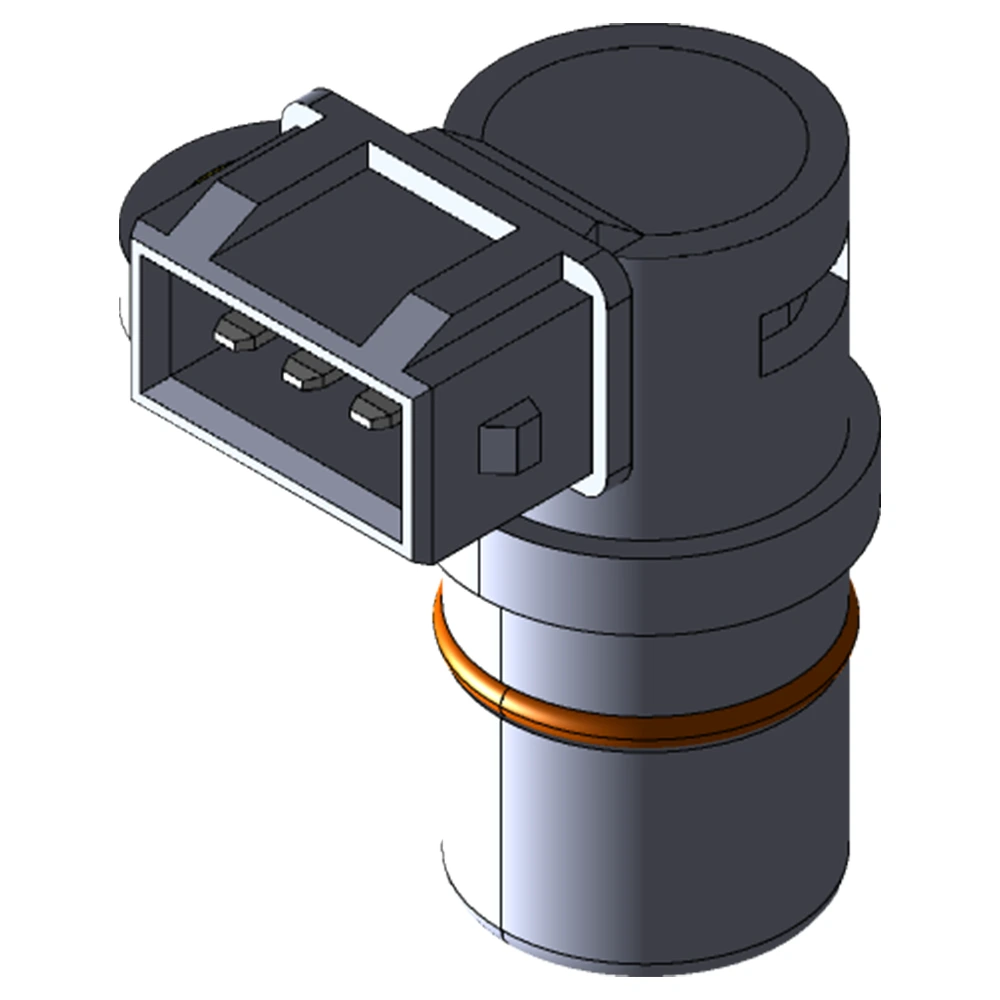




How to Troubleshoot a PM Sensor: Step‑by‑Step Guide
A Particulate Matter (PM) sensor, also called a soot sensor, measures the level of soot accumulation downstream of a DPF (Diesel Particulate Filter) or GPF (Gasoline Particulate Filter). Accurate PM readings are critical for DPF regeneration strategies and emissions compliance. When a PM sensor malfunctions, it can cause failed regenerations, warning lights, or limp‑home mode. This guide walks you through a structured troubleshooting process to identify and fix PM sensor issues.
🔍 Step 1: Identify Symptoms & Retrieve Fault Codes
Common symptoms
- 🚨 DPF warning light or CEL (Check Engine Light)
- 🔄 Frequent or incomplete DPF regeneration
- 🛑 Limp‑home mode activated
Typical DTCs
| Code | Description |
|---|---|
| P24AE | PM Sensor Circuit Range/Performance |
| P26FA | PM Sensor Circuit Low |
| P26FB | PM Sensor Circuit High |
| P26C3 | PM Sensor Circuit Intermittent |
Tip: Record freeze‑frame data to see engine conditions when the fault occurred.
📊 Step 2: Check Live Data & Sensor Behavior
Use a scan tool to view PM sensor readings in real time:
- Soot concentration (g/L): Should rise gradually during normal loading.
- Heater status: Must reach operating temperature (~200–300 °C) quickly.
- Response to active regen command: Expect a sharp drop in measured soot once regeneration begins.
Red flags
- Flatline readings (no change)
- Readings stuck at minimum or maximum values
- Slow or no response to changes in exhaust flow
🔌 Step 3: Test Power, Ground & Heater Circuit
With a multimeter:
- Power supply: Verify 12 V (or vehicle voltage) at sensor supply pin when ignition ON.
- Ground continuity: Should be <0.2 Ω to chassis ground.
- Heater resistance: Typically 3–7 Ω—check against OEM spec.
Warning: The heater draws significant current—test off‑vehicle or with ignition OFF to avoid blowing fuses.
🧪 Step 4: Inspect Wiring & Connectors
Common wiring issues:
- Corroded or bent pins in the connector
- Chafed or melted insulation near hot exhaust components
- Loose or damaged ground strap
Actions
- Disconnect and visually inspect each pin
- Use contact cleaner and dielectric grease
- Repair or replace any damaged harness section
🧩 Step 5: Verify Sensor Tip Condition
- Visual check: Remove sensor and inspect the probe for soot cake or ash clogging the diffuse holes.
- Clean or replace: Light soot can sometimes be blown out with compressed air; heavily clogged or damaged probes must be replaced.
Note: Avoid harsh scraping—damaging the sensor tip voids calibration.
🔄 Step 6: Perform Sensor Regeneration Test & Adaptation
Some scan tools offer a “Forced Regeneration” mode:
- Command an active regen and monitor PM readings—sensor should show drop in soot concentration.
- After replacement or cleaning, use the tool’s “PM sensor relearn” or “adaptation” function to reset baseline.
✅ Step 7: Final Verification & Road Test
- Clear all DTCs and monitor for re‑appearance.
- Perform a controlled drive: induce a regeneration event and ensure sensor readings track soot reduction.
- Confirm no limp‑home mode or emissions warnings.
Troubleshooting a PM sensor requires a methodical approach: retrieve and interpret DTCs, verify live data behavior, test power/ground and heater circuits, inspect connectors and sensor tip, and perform forced regen/adaptation. By following these steps, technicians can accurately isolate issues—be they sensor, wiring, or system‑level—and ensure reliable DPF performance.
Pro tip: Always use OE‑specification replacement sensors and high‑quality DEF fluid to minimize future failures.
Series Navigation
- What is a PM Sensor and Why It Matters in Emission Control
- How PM Sensors Optimize DPF Regeneration in Diesel Engines
- Rugged PM Sensors for Off-Highway and Construction Equipment
- Understanding Common PM Sensor Fault Codes and How to Resolve Them
- How to Choose the Right PM Sensor for Your Vehicle or Fleet
- Troubleshooting and Maintaining PM Sensors
- Compact PM Sensors for Hybrid and Plug-In Vehicles
- Why PM Sensors Fail: Common Causes, Fault Indicators, and Prevention Tips
- ✅How to Troubleshoot a PM Sensor: Step‑by‑Step Guide
- How to Replace a PM Sensor: Step‑by‑Step Guide
- Common Faults in PM Sensor Replacement